In short
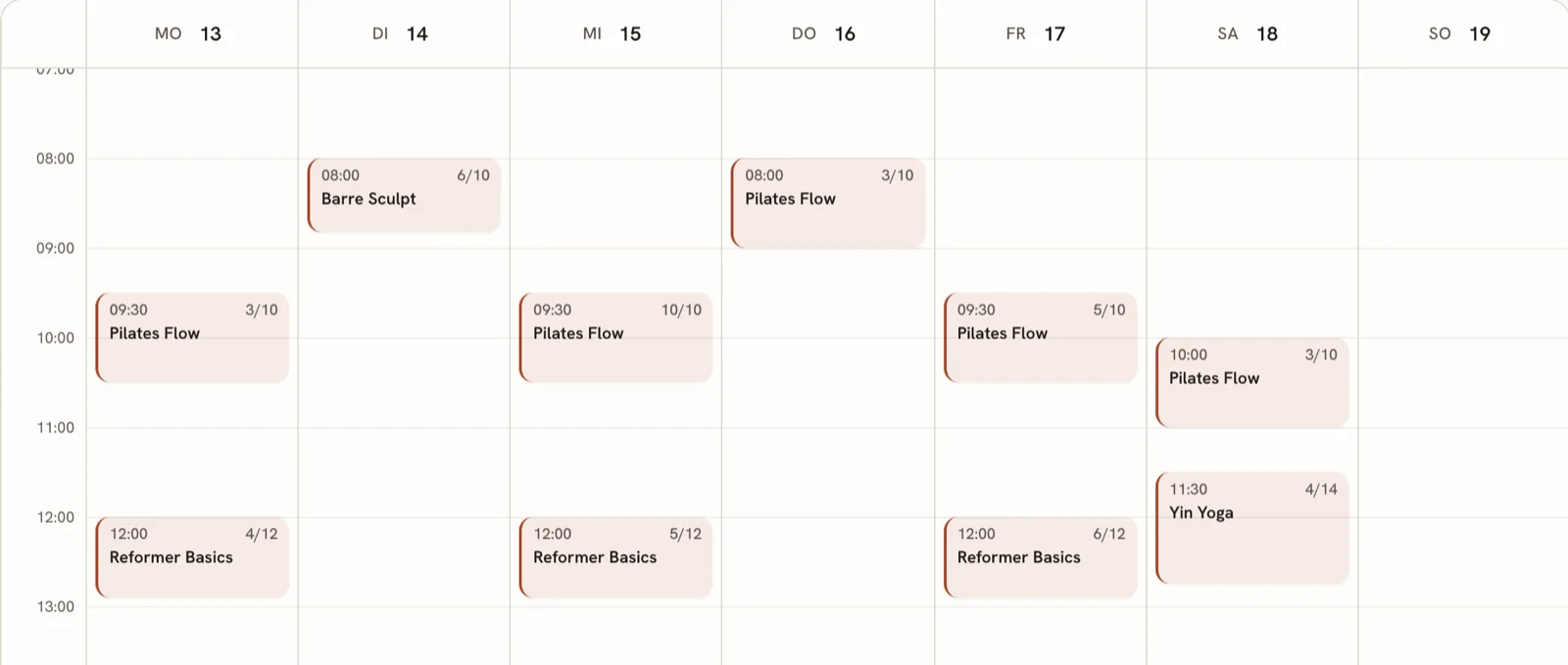
StudioHero’s schedule and class management brings classes, private appointments, rooms and instructors together in one weekly view with filters. Every change is visible to your team and members straight away, because booking is tied directly to the schedule.
How it works
Schedule & classes: how it works
- One weekly view for everything Filter classes and appointments by location, room, instructor, category and status.
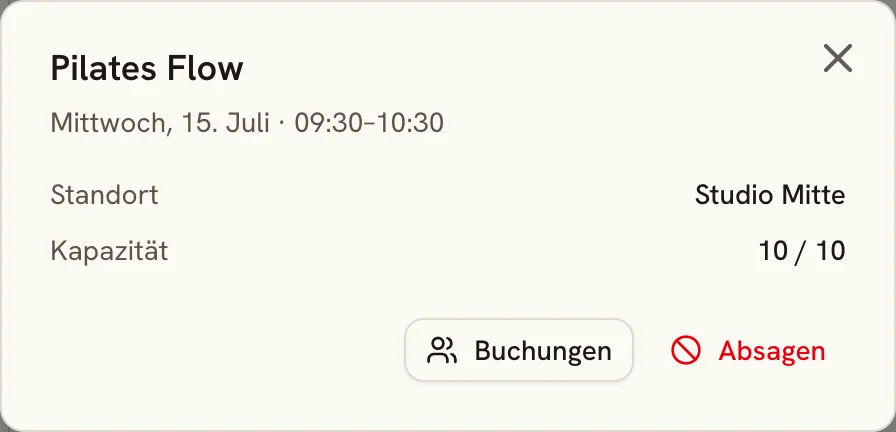
- Changes without double entry When you move or cancel a class, your team and members see it straight away. No second tool needed.
- Schedule and booking connected Every class on the schedule can be booked directly, with capacity and waitlist attached.
The result
What you get out of it
No chaos with cover
Cancellations and cover instructors are updated in seconds and current everywhere.
Occupancy at a glance
You see at once what is full and where spots are still free.
Fewer questions from your team
Everyone works from the same, up-to-date schedule.
Class scheduling
What class scheduling software for studios has to do
A class scheduler is more than a timetable in a PDF. It shows classes, private appointments, rooms and instructors in one weekly view and is connected directly to booking. If you change a time or cancel a class, your members see it straight away.
That way it replaces three things that many small studios keep side by side: the spreadsheet with class times, the timetable on the website and the attendee list in the group chat.
- Set up recurring classes once and change exceptions per session
- Capacity per class or room, so more people never turn up than there are spots
- Changes are visible to your team and members straight away
- Class schedule on your own studio website with free spots in real time
- Booking, waitlist and cancellation policy right on the class
Comparison
Class scheduler, spreadsheet or calendar app?
Many studios start with Excel or a shared calendar. That works until spots get scarce, members have passes with credit on them, or more than one person maintains the schedule.
| Excel / PDF | Calendar app | StudioHero | |
|---|---|---|---|
| Members see free spots | – | partly | ✓ |
| Members book and cancel themselves | – | partly | ✓ |
| Waitlist moves up automatically | – | – | ✓ |
| 10-class passes and credits are deducted | – | – | ✓ |
| Payment by SEPA or card | – | – | ✓ |
Price
from 39 € / month, excl. VAT
Billed by active members. No commission per booking.
Migration
Free, with a checklist
Classes, members and packs from Eversports, Fitogram, Mindbody or Excel.
Get started
Free trial, no risk
From 39 € a month · no credit card · cancel monthly · free migration
Can I set up several locations and rooms?
Yes, including locations, rooms, equipment and instructor availability.
Can members see the schedule publicly?
Yes, on your studio website, bookable in the visitor’s language.
What is a class scheduler?
A class scheduler is software in which a studio plans and publishes its classes and appointments. In StudioHero, the class scheduler is connected directly to online booking, the waitlist and payments.
Can I embed my class schedule on my website?
Yes. The class schedule appears on your own studio page with free spots in real time. Members book directly there.
How quickly can my studio get started?
You can set up your schedule, classes and members on the same day. We move your studio over from your old tool for free.
Is there a booking commission?
No. You pay a fixed monthly price based on active members. There is no commission per booking and there are no hidden add-ons.
Can I cancel monthly?
Yes. You can cancel every month, and you can export your data for free at any time.